> Nextcloud
Nextcloud is a tool, similar to Dropbox, that allows sharing files easily through the web. It is the most convenient way to give access to your file on the storage to colleagues who live abroad.
Nextcloud is accessed through the following URL: https://nextcloud.cism.ucl.ac.be. You will need to use your CISM login and password. The default storage space in Nextcloud is very small ; it is primarily dedicated to sharing files that are on the storage. To do so, you will need to configure your Nextcloud profile and enter your CISM login and password.
Once connected, click on the triangle near your login, and choose ‘Personal’. Then click on ‘External Storage’ and give the name you want it to have in your Nextcloud space, choose SFTP as protocol, and ‘Username and password’ as Authentication. Then enter storage.cism.ucl.ac.be, your home directory (which you can discover by typing pwd when you are connected to the storage server), your CISM login and password.
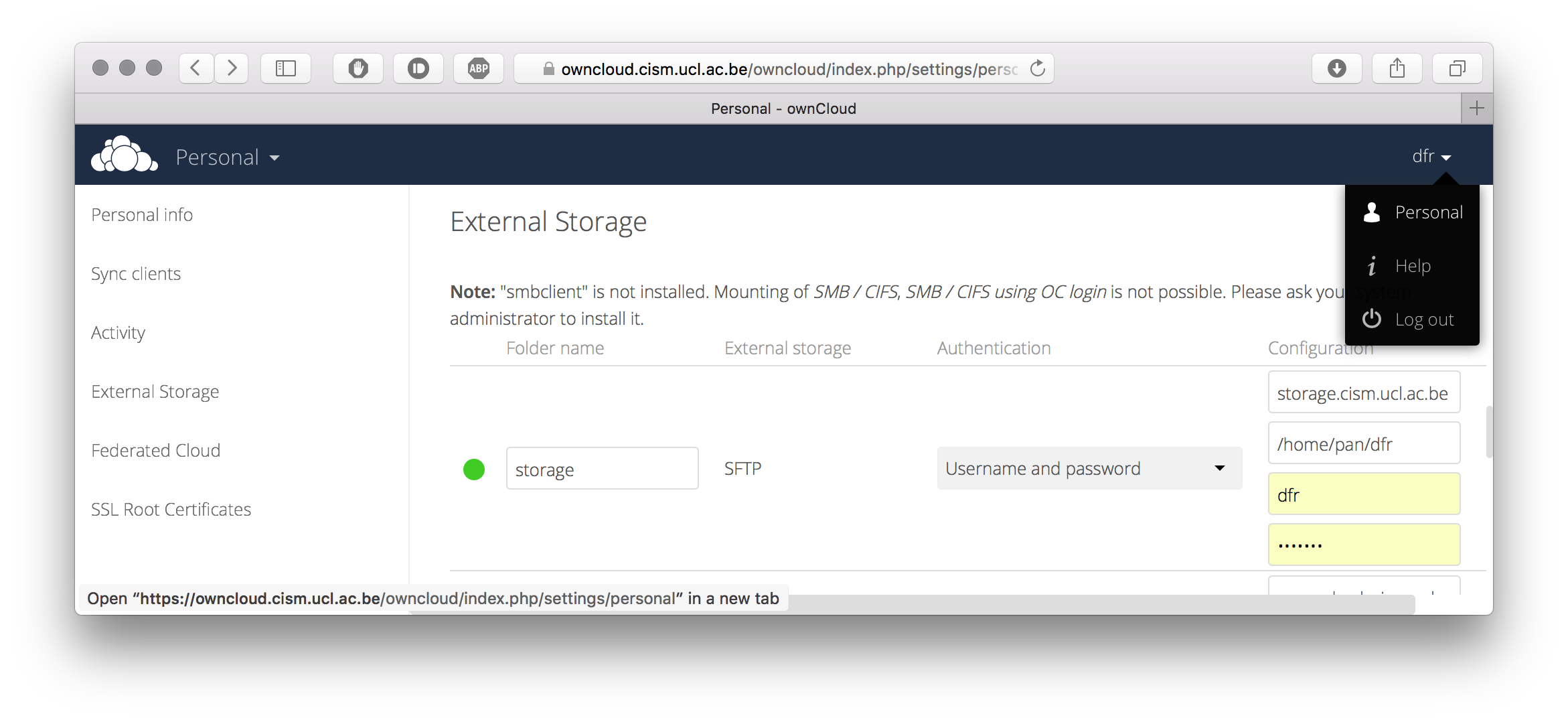
Once done, you will have a new folder in your Nextcloud space that lists the contents of your space on the storage servers.
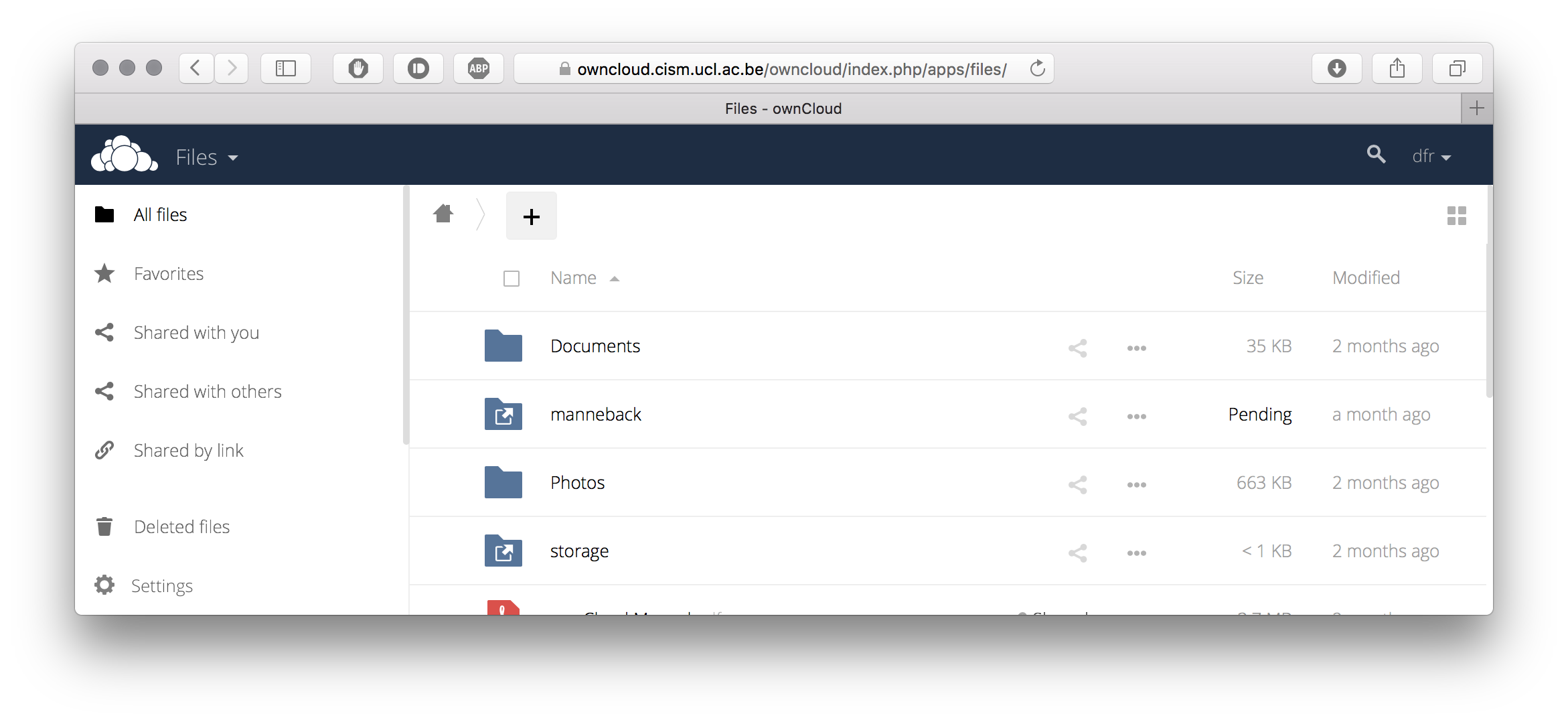
From there you can use Nextcloud’s sharing features to exchange files with other colleagues.