> Dataverse
Dataverse is a tool to publish data in a similar way papers are published. It allows submission, review, and publication of data associated with published articles, and more generally to embrace Open Data.
The UCLouvain Dataverse website is https://dataverse.uclouvain.be. To authenticate, in the login form, choose “Catholic University of Louvain” and click “Continue”.
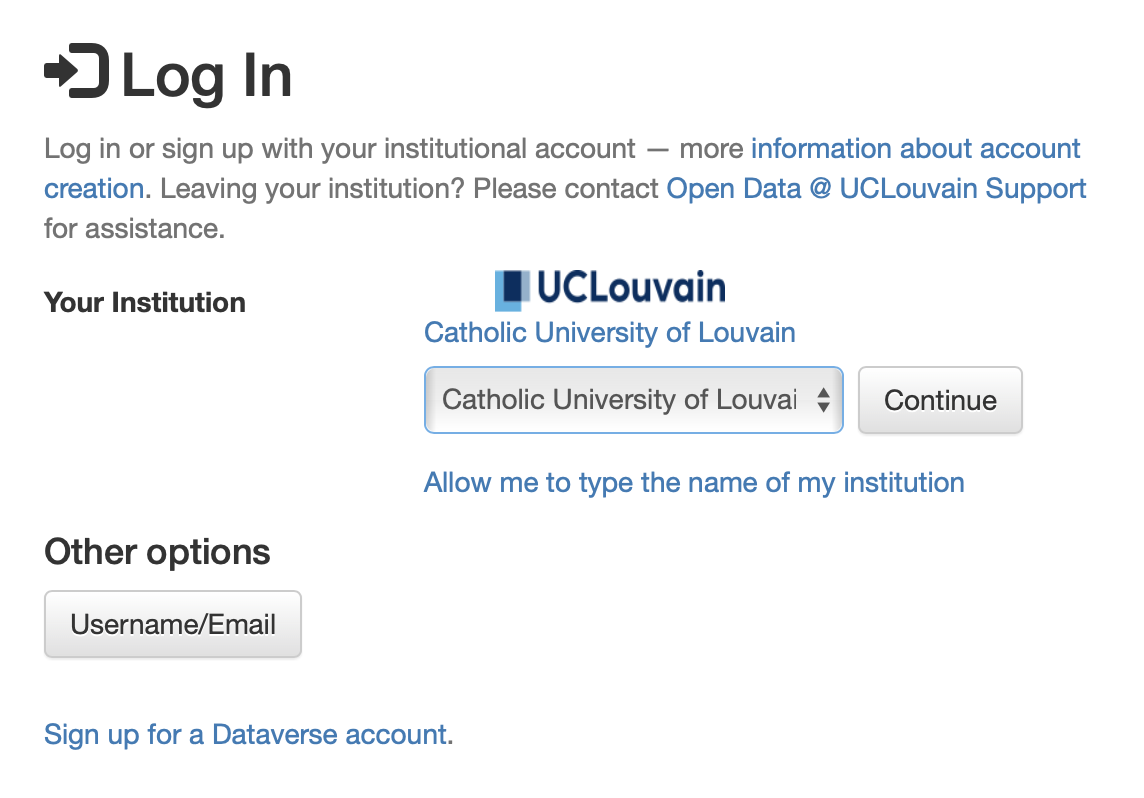
You will then be redirected to the UCLouvain single sign on where you will enter your UCLouvain global login and password. Once you are authenticated, you will see the Dataverse home page.
Datasets are organised in groups named Dataverses. The hierarchy of dataverses follows the hierarchy of the University. For instance Institute > Department > Research group.
Dataverse creation requests
The creation of a dataverse for an institute or a department must be requested by the head of the institute or department. They must first login once to https://dataverse.uclouvain.be so that their login is created, and then send an email through the “Contact” link in the upper right corner, with the following information:
- name of the institute or department ;
- name of the parent institution in the case of a department ;
- link to the logo of the department or institute, and,
- optionally; the name of a person to which the administration of the dataverse must be delegated in the case the head of the institute/department does not want to endorse that role.
The role of the dataverse administrator is to
- give users permission to create datasets in that dataverse ;
- review and accept publication of datasets in the dataverse ;
- respond to queries/questions sent through the web interface on the dataverse page.
The dataverse administrator can also create sub-dataverses in their dataverse, and delegate their administration rights to other users.
Note
The ‘Contact’ link in the top right corner of each page is context-sensitive ; depending on the dataverse you are looking at, it will direct your email to the person responsible for that dataverse. Therefore, you must make sure to be in the correct dataverse when requesting the creation of a dataset (see below)
Sub-dataverse creation
The administrator of a dataverse can create sub-dataverses in their dataverse, for instance for a specific research project or research group. To do so, they must first open the page the parent dataverse, then click on the “+ Add Data” button and choose “New Dataverse”. They will then be asked to fill in the name of the new dataverse, and optionally a description and a logo. The new dataverse will be created with the same permissions as the parent dataverse, and the administrator of the parent dataverse will automatically become administrator of the new dataverse. The administrator of the parent dataverse can then delegate administration rights to other users if they wish to do so.
More information in the Dataverse Guide.
Dataset creation rights assignment
The administrator of a dataverse can give users permission to create datasets in that dataverse. To do so, they must first open the page of the dataverse, then click on the “Edit” button on the right and select “Permissions” .
In the “Users/Groups” tab,they can use the “Assign Roles to Users/Groups” and lookup the name of the person they wish to give permissions to. Once the user is found, they must select the “Dataset Creator” role and click “Save Changes”. The user will then be able to create datasets in that dataverse.
If the user is not found, it means that they have never logged in to the dataverse before. In that case, they must first login once.
More information in the Dataverse Guide.
Dataset creation
To create a dataset in a given dataverse, you must first authenticate with your UCLouvain portal account, then request permission to the dataverse administrator to create a dataset. If you do not know who is the administrator of the dataverse, you can simply use the contact link at the top of the dataverse page. Note that you do not need to be the author of the dataset to publish it ; in that case make sure you have all the required agreements to do so in compliance with the intellectual property laws.
Once the dataverse manager has granted you permission as explained in the above
paragraph, a button labelled Add Data will appear on the right under the
dataverse title. You can create and describe the dataset, and upload files, as
explained in the Dataverse Guide.
Note
Uploading large datasets can sometimes be tricky. The best option is to use the DVUploader tool with the option -uploadviaserver. Do not hesitate to contact us in case of problems.
Dataset publication request
When the dataset is ready, you must request its publication to the dataverse
manager through the Submit for Review button, which is located next to the
“Edit” button on the upper-right. The dataset will be frozen (no more changes
will be allowed) and the dataverse administrator will be notified by email and
will have the choice to either “Publish”
the dataset or “Return to Author”. In the latter case, the dataset will be
unfrozen and you will be notified by email that you need to make amendment or
modifications before it can be submitted for review again.
Once the administrator of the dataverse accepts the publications, the dataset is attributed a DOI and cannot be modified anymore. Any further change brought to the dataset will be recorded under the same DOI but with a distinct version number.
Warning
Please do not publish “test” datasets! This action is irrevocable. A Dataverse test instance is available at https://demo.dataverse.org if you need to do test.
More information in the Dataverse Guide.
Dataset publication review
Dataverse administrators are responsible for reviewing dataset publication requests. They must check that the dataset is well described and that the files are correctly uploaded. They can also ask the author to make amendments or modifications before accepting the publication. Once the publication is accepted, the dataset is attributed a DOI and cannot be modified anymore. Any further change brought to the dataset will be recorded under the same DOI but with a distinct version number.
The dataverse administrator can also choose to reject the publication request and return the dataset to the author for amendment. In that case, the dataset will be unfrozen and the author will be notified by email that they need to make amendment or modifications before it can be submitted for review again.
Dataverse administrators must also make sure the licence of the dataset is clearly indicated and that the dataset is compliant with the intellectual property laws.
Warning
Please do not publish “test” datasets! This action is irrevocable. A Dataverse test instance is available at https://demo.dataverse.org if you need to do test.
More information about the publication options in the Dataverse Guide.
About the costs
To ensure the viability of the service and the maintenance of robust hardware over the lifetime of the data, Dataverse usage is billable per Institute. Every institute is entitled a free share of 1TB. Above that volume, the price is 500€ per TB payable upfront for 15 years, amounting to approximately 33€/TB/year.